
Get your computer and room ready well before test day
TOEFL Essentials is taken at home, monitored by a proctor through your webcam and screen. Most at-home problems come from equipment that fails the check or a room that doesn’t meet the rules. Set everything up at least several days early.
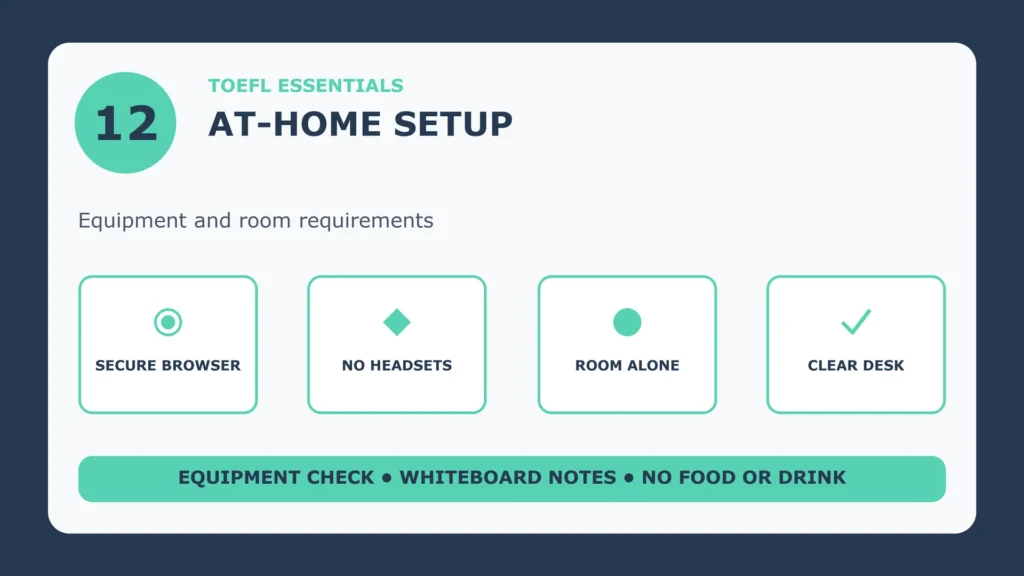
Computer and software
- A desktop or laptop computer. Tablets and mobile devices can’t be used to take the test.
- Operating system: Windows 11 or later, or Mac OS X 10.13 or later.
- ETS Secure Browser: download it in advance and use its Equipment Check.
- Internet: a stable connection. Other devices using bandwidth at the same time can cause problems.
Camera, microphone and speakers
- Camera: a separate webcam or one built into the computer or monitor, able to give a 360-degree view of the room.
- Microphone: internal or external, but not part of a headset.
- Speakers: internal or external, so you can hear the test and the proctor.
- Headsets and earphones are not allowed.
- Optional second device: a smartphone or tablet with a working camera (iOS 12 or later, or Android 8 or later) can be used as part of check-in.
The room
- You must be alone, and no one may enter during the test.
- Cover transparent walls, doors and large open windows.
- Walls must be clear of anything related to the test.
- Your computer and keyboard must be on a desk or tabletop, and the surface and surrounding area must be clear of unapproved items.
What is not allowed
- Notes, study materials and phones (a phone or mirror may be used during check-in only).
- Food and drink.
- Headphones, smartwatches, face masks, jewellery and tie clips.
What you may use for notes
Acceptable note-taking materials that can be erased in view of the proctor, such as a whiteboard or a transparency sheet. At the end of the test you erase it and hold it up to the camera.
Setup checklist
A week before
- Install the ETS Secure Browser and run the Equipment Check.
- Choose your room, test the lighting and your camera’s view of the whole room.
The day before
- Clear the desk and walls, and cover any glass doors or windows.
- Prepare your identification, whiteboard or transparency sheet, and a mirror or phone for check-in.
On test day
- Restart your computer, close other applications, and ask others at home not to use heavy bandwidth.
- Start check-in up to 15 minutes before your appointment; if you haven’t started within 15 minutes after your start time, your test is cancelled.
Official ETS sources
Accuracy note (15 September 2026): equipment requirements can change. Read ETS’s current requirements and run the Equipment Check before your test.